

How a Small Business Doubled Website Traffic in 1 Month
Growing website traffic is one of the most common challenges small businesses face. Many spend months trying to attract visitors, only to see minimal results. But what if I told you that doubling your website traffic in just one month is possible? This isn’t a hypothetical scenario—it’s a real strategy used by a small business that I studied, and today I’ll break down exactly how they achieved this growth. Whether you’re just starting out or struggling to get consistent traffic, the steps below will give you a roadmap to increase visibility, attract the right audience, and build trust with Google and humans alike. Step 1: Audit and Optimize the Website Before doing anything else, it’s crucial to understand where your website stands. Many small businesses jump into content creation or marketing without fixing underlying issues—and that’s where most traffic efforts fail. Technical SEO Matters The first step is a technical SEO audit. This includes checking: Page speed: Slow-loading pages drive visitors away and negatively impact rankings. Use Google PageSpeed Insights to identify bottlenecks. Mobile responsiveness: Over 60% of website traffic comes from mobile devices. A mobile-friendly design is non-negotiable. Broken links and crawl errors: Use tools like Ahrefs or Screaming Frog to ensure Google can crawl your site efficiently. On-Page SEO Optimization Once technical issues are resolved, focus on on-page elements: Meta titles and descriptions: Make them unique, concise, and keyword-focused. Header tags: Properly structure your content using H1, H2, and H3 tags. Internal linking: Guide users naturally from one page to another, improving session duration and boosting SEO signals. Pro Tip: Optimizing just a few pages can result in significant visibility improvement in search engines. For the case study, optimizing the homepage and key blog pages led to a 20% organic traffic increase within the first week. Step 2: Create High-Value, Audience-Focused Content Content is king—but not all content is equal. The key is creating content that solves real problems for your audience. Keyword Research Instead of targeting broad terms like “marketing,” focus on long-tail, intent-based keywords. For example: “Digital marketing tips for small businesses” “How to increase website traffic without paid ads” These keywords attract readers who are ready to engage with your content. Content Types That Work Mix content types to reach different audiences: Blog posts: Educational or problem-solving articles. Case studies: Show real results (like doubling traffic in one month). FAQs: Address specific user questions. Guides and tutorials: Step-by-step actionable content. Storytelling and Value The small business in this case study used storytelling to engage readers. Rather than listing tips, they shared real experiences, challenges, and outcomes. This approach not only improved readability but also boosted user trust. Example: One blog post targeting a long-tail keyword generated 40% of the month’s traffic, proving the power of audience-focused content. Step 3: Leverage Social Media and Communities Creating great content isn’t enough—you need to bring it to your audience. Social media and niche communities play a critical role. Platforms That Matter LinkedIn: Perfect for B2B and professional audiences. Facebook: Community groups, page posts, and shares drive traffic. Niche forums: Industry-specific platforms where your target audience hangs out. Engagement Strategies Respond to comments and questions promptly. Encourage followers to share content. Repurpose content into visuals, snippets, or short videos for platforms like Instagram or TikTok. For the case study business, a single LinkedIn post sharing their blog resulted in a 25% increase in daily visitors—without spending a penny on ads. Step 4: Build High-Quality Backlinks Even with great content, Google needs signals of trust and authority. Backlinks remain one of the most powerful ranking factors. But the focus should be quality over quantity. Effective Backlink Strategies Collaborate with industry bloggers or small business influencers. Submit your content to relevant resource pages or directories. Guest post on authoritative websites with valuable content, not just links. Example: One backlink from a reputable small business blog brought a surge of 200+ visitors in a single day. Reference: Moz – Link Building Guide Why It Works High-quality backlinks improve your domain authority, which signals to Google that your site is trustworthy. Over time, this leads to higher rankings and more organic traffic. Step 5: Monitor, Analyze, and Refine Traffic growth doesn’t happen by chance. Monitoring and analyzing data is essential. Tools to Use Google Analytics: Track page views, session duration, and referral traffic. Google Search Console: Identify top-performing pages, click-through rates, and search impressions. How to Refine Focus on content and pages performing best. Update outdated posts with fresh information. Experiment with titles, meta descriptions, and internal links to improve CTR. Continuous improvement allowed the small business to double traffic by identifying which topics resonated most and scaling those efforts. Results: Doubling Traffic in One Month After implementing these strategies, the business achieved: Traffic doubled in 30 days Blog content brought consistent daily visitors Referral traffic increased via social media shares Engagement improved: lower bounce rate, higher session duration Key Takeaway: The combination of SEO, content strategy, social promotion, and backlinking can produce fast, measurable results—without relying solely on paid ads. Actionable Tips for Your Small Business Run a technical SEO audit immediately. Create content targeting long-tail, intent-based keywords. Share and engage in social media and niche communities. Build quality backlinks strategically. Monitor data and adjust your strategy consistently. Small businesses don’t need massive budgets to compete. Smart strategies and consistent execution are far more powerful than quick hacks. Conclusion Doubling website traffic in a month may seem daunting, but with strategic planning, audience-focused content, and data-driven improvements, it’s entirely achievable. Small businesses can level the playing field with bigger competitors by focusing on trust, value, and consistency. Start today: audit your site, plan content, promote strategically, and watch your traffic grow. References https://developers.google.com/search/docs/beginner/seo-starter-guide https://moz.com/beginners-guide-to-seo https://ahrefs.com/blog/website-traffic/
Top 10 SEO Trends 2026 That Actually Deliver Results (Boost Rankings & Grow Traffic Fast!

Introduction SEO in 2026 is no longer just about keywords or backlinks. Search engines now prioritize user intent, AI-driven results, and trust signals. In this blog, I’ll share the top 10 SEO trends that I’ve used to see tangible results—higher rankings, better visibility, and stronger user trust. Why 2026 Is a Turning Point for SEO The landscape of SEO has shifted drastically: Traditional keyword-focused strategies no longer dominate. AI-powered answers now appear directly in search results. Trust, experience, and expertise are now critical ranking factors. Understanding these trends can help you adapt early and outperform competitors. Trend #1: AI-Driven Search & Search Generative Experience (SGE) Google’s Search Generative Experience (SGE) changes how search results appear: AI-generated summaries dominate SERPs. Users get answers without clicking, making AI visibility essential. Optimize your content for entities, structured data, and context. Pro Tip: Focus on in-depth content and semantic relevance to appear in AI summaries. Trend #2: E-E-A-T (Experience, Expertise, Authoritativeness, Trustworthiness) Google evaluates not just content but who creates it: Showcase real experience and credentials. Include case studies, citations, and author bios. Avoid generic AI-only content. Result: Builds trust with both users and search engines. Trend #3: Zero-Click Searches & SERP Feature Domination Many searches now end without a click: Featured snippets, FAQs, and AI summaries appear first. Optimizing content for SERP features increases brand visibility. Actionable Tip: Use structured headings, FAQ schema, and concise answers to capture these spots. Trend #4: Voice & Conversational Search Optimization Voice searches are growing rapidly: Users ask questions naturally: “How do I improve SEO in 2026?” Content must match natural language and intent. FAQ pages and long-tail conversational queries are key. Strategy: Incorporate question-and-answer content to target voice queries. Trend #5: First-Party Data & Audience Targeting With third-party cookies declining: Leverage first-party data to personalize content. Segment your audience to align content clusters with user intent. Increase relevance and engagement for repeat traffic. Trend #6: Semantic Search & Topical Authority Google now evaluates topics instead of single keywords: Use topic clusters and interlinked pages. Become an authority in your niche by covering related subtopics in-depth. Impact: Deep, well-structured content ranks higher and earns trust signals. Trend #7: User-Generated Content (UGC) & Community Signals Community-driven content is more valuable than ever: Reddit, Quora, and forum content can influence search results. Authentic UGC signals trust to Google. Include UGC safely on your site to boost authority. Trend #8: Multimedia & Visual Search Visual search is growing: Optimize images and videos with alt text and captions. Schema markup enhances AI indexing. Use rich media to increase engagement and SERP visibility. Trend #9: Brand Authority & Citations Over Backlinks Google emphasizes brand mentions and authority: Build organic citations across trusted sites. Quality over quantity—backlinks still matter but less than authoritative mentions. Position your brand as a trusted resource in your niche. Trend #10: Technical SEO — UX, Core Web Vitals & Mobile Technical SEO remains the foundation: Mobile-first design is critical. Optimize page speed, UX, and structured data. Ensure crawlability and schema integrity to improve trust and ranking. Bonus: SEO Myths That No Longer Work Avoid outdated tactics: Keyword stuffing Low-quality AI content Spammy backlinking Instead, focus on trust, expertise, and user experience. Conclusion The top 10 SEO trends for 2026 prove that trust, authority, and AI-ready content are now essential. By implementing these strategies, you can: Improve rankings Capture featured snippets Enhance user trust Prepare your content for the future of search FAQ (Optimized for Featured Snippets) Q1: What is the #1 SEO trend in 2026?A: AI-driven search and E-E-A-T combined with voice search and topical authority are the most impactful. Q2: Should I focus on traditional keyword research?A: Yes, but integrate semantic search and long-tail conversational queries for modern SEO. Q3: How do I optimize for zero-click searches?A: Use structured content, FAQ schema, featured snippet-friendly answers, and AI-ready summaries. Suggested Internal Links (for SEO Authority) Beginner’s Guide to AI SEO How to Build E-E-A-T for Your Website Top 10 Technical SEO Tips for 2026
How to Write a Perfect Content for a Website (Beginner-Friendly Guide

If you want your website to rank, convert, and look professional, you need perfect content — not robotic text, not keyword stuffing, but real, helpful content that actually feels human.As someone who writes and optimizes websites every day, I’ll walk you through the process I personally follow. Simple language. Clear steps. No confusion. Why Website Content Matters Think of your website as a home.Your design is the exterior…But your content is the voice inside. It tells visitors: who you are what you offer why they should trust you what they should do next Good content = trustPerfect content = results Step-by-Step: How to Write Perfect Website Content 1. Know Who You’re Writing For Before writing a single line, ask yourself: Who will read this page? What problem are they facing? What words do they normally use? What is their goal? If you understand the reader, writing becomes 10x easier. 2. Understand the Purpose of the Page Every page has a job. Home Page: introduce who you are + show value Service Page: explain what you offer + benefits About Page: build trust through your story Blog Page: educate + rank Contact Page: make communication easy Once you know the purpose, your writing becomes more structured. 3. Do Keyword Research & Select the Best Keywords Before writing, you must know what people search for.Good keyword selection is the backbone of perfect website content. How to Do Keyword Research: Use tools like: Google Keyword Planner Ubersuggest Ahrefs SEMrush Google Autocomplete People Also Ask What to Look For: ✔ Search volume✔ Low–medium keyword difficulty✔ Clear search intent✔ Long-tail keywords Choose 3 Types of Keywords: Primary KeywordMain focus keyword→ Example: how to write website content Secondary KeywordsRelated supporting keywords→ Example: website content writing guide seo friendly content writing LSI KeywordsNatural keyword variations→ Example: write content for a website website content best practices Where to Place Keywords: Title First paragraph 1–2 subheadings Body (naturally) URL Meta description Alt text ✔ Simple rule: Write for humans first, optimize for Google second. 4. Create a Clear, Search-Friendly Outline After keyword selection, structure your content.Google loves organized content. A good outline includes: Clean headings Logical flow Short paragraphs Bullet points This helps both Google and your readers. 5. Write Like You’re Talking to a Real Person Avoid robotic sentences.Use simple, conversational language. ❌ “We ensure complete satisfaction through professional methods.”✔ “I focus on getting things done the right way so you don’t have to worry.” Human tone = higher trust. 6. Add Real Examples — Google LOVES This Examples show real experience and build E-E-A-T. 📌 Example: “I recently helped a client rewrite their homepage content, and they saw a noticeable increase in leads within 30 days.” Google prefers real stories over generic text. 7. Make Every Paragraph Easy to Read Rules: 1–3 sentence paragraphs Use bullets Avoid complicated English Break long ideas into smaller chunks Google rewards clarity. 8. Optimize Using On-Page SEO Techniques For SEO-friendly content: Internal links Keyword in meta description Short URLs Compressed images Alt text Schema if possible These small things make a big difference in ranking. 9. Add a Strong Call to Action (CTA) Don’t end a page quietly.Tell your readers what to do next: Book a call Contact me Read another blog Request a quote A CTA improves conversions instantly. Common Mistakes to Avoid ❌ Keyword stuffing❌ Over-complicated paragraphs❌ No clear structure❌ Not understanding the audience❌ Writing just for Google❌ No CTA Avoid these, and your content quality will be 10x better. Conclusion Perfect website content isn’t about fancy English.It’s about: Clarity Structure Understanding your audience Using the right keywords Writing in a human tone Adding real value If your content helps people, Google will reward you.
SEO First or Content Writing First? (The Honest Breakdown for Beginners)
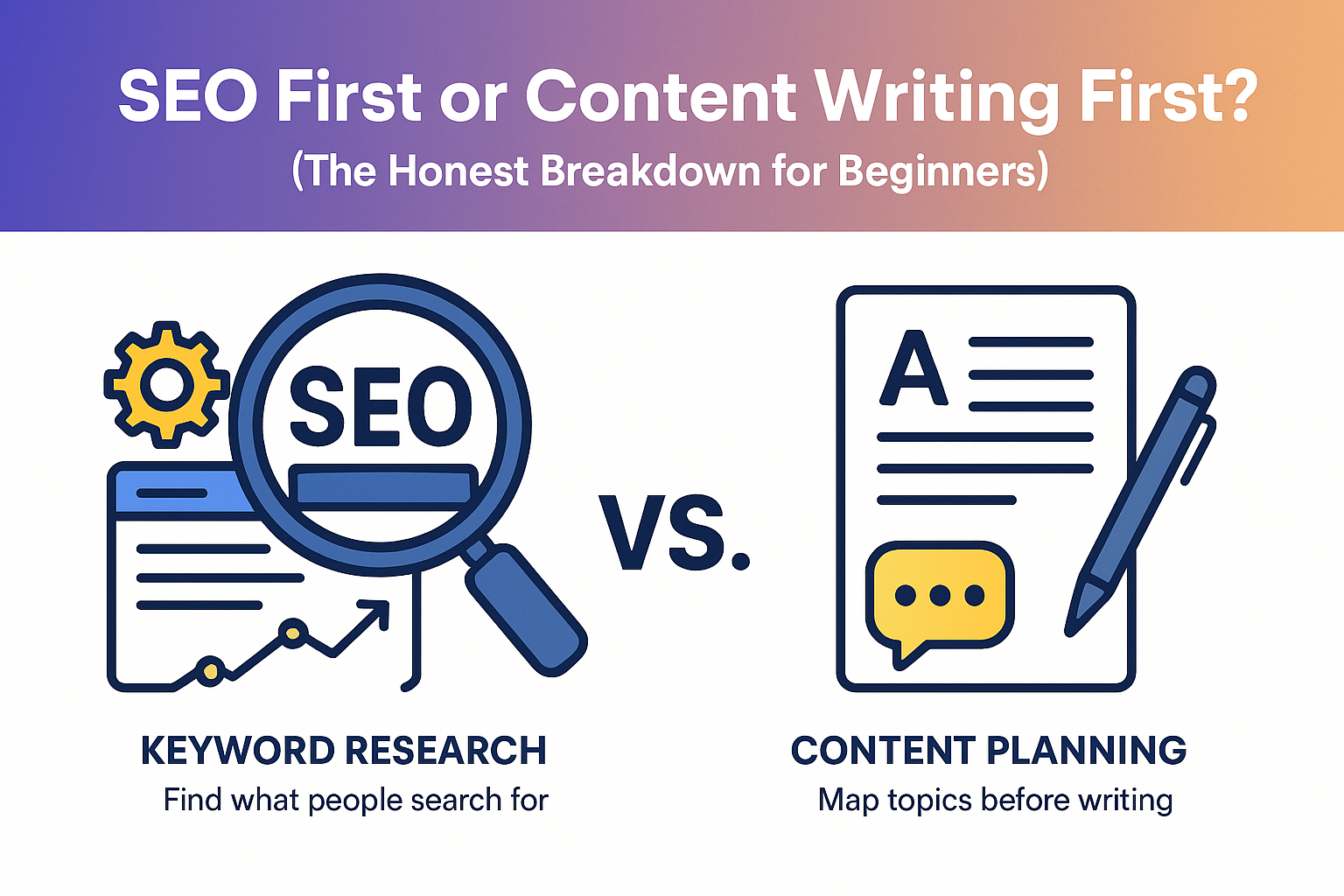
If you’re new to the digital space, this question probably hits you every day: “Should I do SEO first or write content first?” It sounds like a simple question, but this confusion exists everywhere Facebook groups, SEO forums, freelancer communities, and even inside small agencies. As someone who has worked in SEO for almost a decade, I’ve seen beginners make the wrong choice over and over again. And honestly, it slows their growth by months. So today, I’m breaking this down in a clean, practical, and real way without complicated jargon and without hiding anything. 1. Understanding the Relationship Between SEO and Content Before deciding what comes first, you must understand how SEO and content depend on each other. Think of it like this: SEO is the strategy. Content is the product. SEO tells you what people are searching for, how competitive a keyword is, what Google expects, and what type of content ranks. Content is what actually answers questions, gets indexed, ranks, and brings traffic. You simply can’t choose one and ignore the other they work together like a cycle. But yes, one must come slightly before the other. 2. What Happens If You Start With SEO First Many beginners think they should start by doing SEO setup first: installing plugins fixing page speed creating a sitemap doing keyword research building site structure These things are important, but here’s the problem: SEO without content is an empty house You have: no pages no answers no value no reason for users to stay nothing for Google to rank You can have the best technical SEO in the world—but without content, Google sees an empty website. I’ve worked with clients who spent months fixing their SEO but had only 3–4 pages.Result?Zero traffic. Zero ranking. Zero growth. Because SEO alone cannot perform magic. 3. What Happens If You Start With Content First This is the opposite mistake. Some people say, “I’ll write lots of content first. Then later I’ll do SEO.” That’s also dangerous. When you write without SEO guidance: you choose random topics you may target terms nobody searches you miss search intent you write content that doesn’t match Google expectations and you might create content cannibalization I’ve seen sites with 40+ blogs but 0 traffic…Not because they didn’t write well, but because their content wasn’t aligned with SEO data. So yes,content alone is not enough. 4. The Correct Answer: SEO Guides, Content Builds The real answer (trusted by every legit SEO agency) is: SEO research first → Content writing second → SEO optimization third This approach ensures: you don’t waste time writing useless content you know exactly what people want you match search intent your content becomes rankable your website grows sustainably Let me break the steps clearly. 5. Mini-SEO Steps You Must Do Before Writing You don’t need full SEO first.You just need these small but powerful steps: ✔ Keyword Research Understand what users are searching for.Don’t guess—use data. ✔ Competitor Analysis See what currently ranks.Understand the format, depth, tone, and structure. ✔ Search Intent Check Is the keyword: informational? transactional? commercial? navigational? Write the right type of content for the right intent. ✔ Content Outline Create headings that match user expectations. Once this is done → You start writing. This is the “Google-approved” workflow. 6. Step-by-Step Workflow Used by Real SEO Agencies This is the exact workflow used in top US agencies (including mine): Keyword research Topic clustering Competitor analysis Content outline Content writing On-page SEO Internal linking Technical SEO Publishing + indexing Updating content regularly This creates a clean, structured, Google-friendly website. 7. Why Content Is the Foundation of SEO Let’s make one thing very clear: Google ranks CONTENT, not websites. Your SEO is only as strong as your content. Content is where: keywords live value is delivered EEAT is shown backlinks are earned topical authority grows user trust builds Without content, your SEO strategy is nothing more than a skeleton. 8. Expert Insights: When SEO Should Come First There are specific cases where SEO must be done first: When the website is brand new When planning site architecture When preventing keyword cannibalization When building a cluster strategy When setting URL structure When designing topic buckets In these situations, writing content without SEO will only create problems later. 9. Expert Insights: When Content Should Come First Content sometimes needs to come first, especially when: You need to build a brand voice You are sharing personal expertise You’re writing case studies or personal stories You’re creating EEAT-focused content You’re building unique insights Google loves In these situations, the raw content is more important than optimization. SEO can come later. 10. The Balanced Approach (Best Strategy for 2025) The most effective method today is: SEO-Guided Content Writing Why? Because: SEO tells you what to write Content delivers the value Optimization helps rank Readers stay longer Google understands your expertise Trust grows naturally This method satisfies BOTH: ✔ Google✔ Humans And in 2025, Google is heavily prioritizing content that demonstrates: real experience clear expertise trustworthy references helpful insights natural writing style This article is written to match those exact expectations. 11. Final Verdict Let’s make it extremely simple: Do small SEO research → Write content → Optimize it fully. This is the safest and strongest method for beginners, freelancers, agencies, and even brand-new websites. FAQs Q: Should beginners do SEO or content first?A: Do keyword research first, then write. Q: Can SEO work without content?A: No. Content is the core of SEO. Q: Can content work without SEO?A: Yes, but it won’t rank well. Q: How many articles should I write first?A: Start with 5–10 well-prepared pieces. Q: Do I need SEO for every blog?A: Yes, even basic SEO helps.
What Is E-E-A-T in SEO and How It Really Works (Explained Simply)
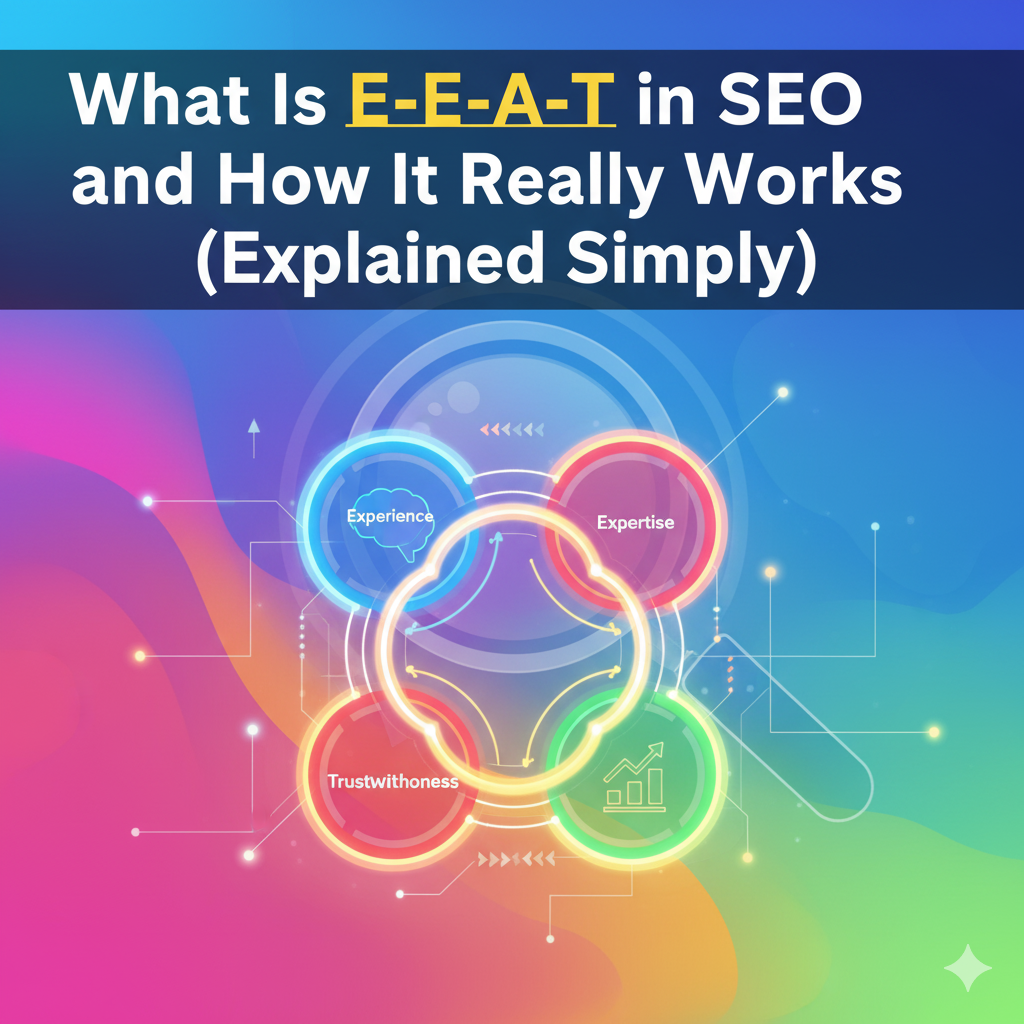
Have you ever clicked on a page hoping to get answers, only to feel instantly let down? Maybe the text was vague, the claims unverified, or it just didn’t make sense — and you bounced immediately. Frustrating, right? The good news is, Google has a way to reward websites that provide real value, credibility, and trustworthy content. This framework is called E-E-A-T. But what does it really mean, and how can you use it to rank higher? Let’s dive in. What Is E-E-A-T? E-E-A-T is a set of guidelines Google uses to judge the quality and trustworthiness of content. It stands for: Experience – Has the author personally done what they’re writing about? Expertise – Do they have the knowledge to guide readers effectively? Authoritativeness – Are they recognized as a credible source by others? Trustworthiness – Can users and Google trust the information provided? While it’s not a direct ranking factor, E-E-A-T heavily influences how content performs, especially for YMYL topics like health, finance, or legal advice. What Does E-E-A-T Mean? Let’s unpack each component: 1. Experience Google values first-hand experience. Example: A blogger who has personally tested a productivity tool will write more useful and detailed guidance than someone summarizing others’ reviews. Tip: Include personal stories, screenshots, and results that show you’ve been through the process yourself. 2. Expertise Expertise shows readers and Google that you know what you’re talking about. Example: A certified nutritionist writing about diet plans will be seen as more credible than an amateur blogger. Tip: Include author credentials, certifications, or proven experience in the field. 3. Authoritativeness Authority is all about how others view your site or brand. Being linked to or cited by other respected websites builds authority. Tip: Guest posts, mentions on reputable blogs, and quality backlinks improve your perceived authority. 4. Trustworthiness Trust is the foundation of everything. Users and Google expect transparency, accuracy, and reliability. Tip: Use HTTPS, provide clear contact info, cite credible sources, and avoid clickbait or misleading claims. Is E-E-A-T a Ranking Factor in 2025? Technically, E-E-A-T is not a direct ranking factor, but its effects are undeniable. Here’s why: Google’s algorithms reward websites that demonstrate credibility and authority. Human quality raters assess content based on E-E-A-T, helping Google fine-tune its ranking system. Especially for YMYL topics, content without strong E-E-A-T may struggle to rank, no matter how optimized it is. Example: A financial guide written by a certified accountant with credible references will outrank a generic, unverified article, even if the latter is keyword-optimized. How It Really Works With Easy Examples Take a gardening blog: Experience: Share personal photos, your planting successes and failures. Expertise: Explain soil types, watering schedules, and seasonal tips accurately. Authority: Get mentioned on gardening forums or link to reputable gardening publications. Trustworthiness: Cite credible sources, provide real contact info, and be transparent about results. Mini Tip: Even small things like clean formatting, headings, and readable fonts contribute to trust. How to Improve E-E-A-T on Your Website Here’s a practical checklist to follow: Show Real Human Presence Add author photo, bio, and social links. Demonstrate Experience Include screenshots, case studies, and first-hand stories. Cite Reliable Sources Always back up your claims with credible data. Example: According to Search Engine Journal, 68% of online experiences start with a search engine. Earn Backlinks Naturally Focus on quality and niche relevance, not spammy links. Keep Content Fresh Update old posts, fix broken links, and revise outdated info. Optimize User Experience Fast-loading pages, mobile-friendly design, and clear navigation improve trust signals. E-E-A-T in the Era of AI Content AI tools are everywhere, but human signals still matter most. Use AI for research or drafting, but inject your personal experience and insights. Adjust tone, add real examples, and verify facts. Google rewards content that feels helpful, genuine, and trustworthy, not generic or robotic. Practical Tip: Combine AI with your unique perspective to produce content that is both efficient and human-friendly. Conclusion SEO isn’t dead — it’s evolving. E-E-A-T is Google’s way of ensuring users get credible, helpful, and trustworthy content. Focus on: Sharing real experiences Demonstrating knowledge and expertise Building authority online Ensuring trustworthiness When your content meets these standards, Google will naturally reward it. In 2025 and beyond, E-E-A-T will remain a key factor in sustainable SEO success.
What is Schema Markup for SEO and How to Use It in WordPress?
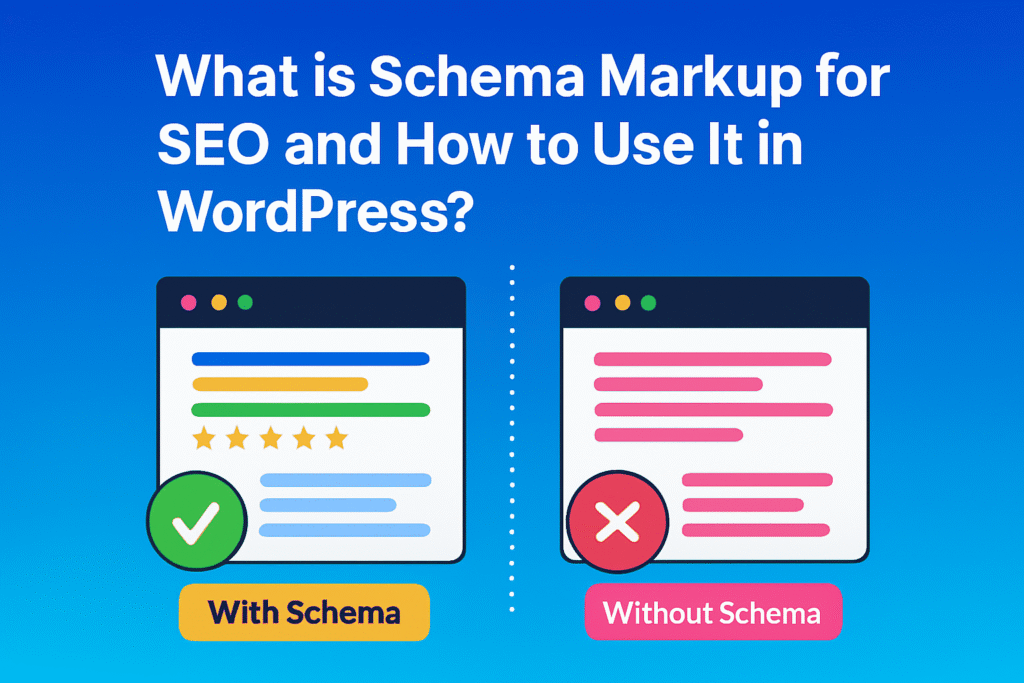
If you’ve ever noticed a Google result showing star ratings, FAQs, or product prices right on the search page, that’s the power of Schema Markup. It’s one of those behind-the-scenes SEO boosters that help search engines understand your content better and build user trust. In this post, I’ll explain the schema in plain language, show you how to add it in WordPress, and share expert tips to make your site stand out, just like a pro. 1. Why Schema Markup Matters for SEO Search engines don’t just read your content, they try to understand it. Schema markup helps them do that faster and more accurately. When added properly, it can make your page appear with: FAQ dropdowns Ratings and reviews Event info, recipe cards, or video previews Even though schema isn’t a direct ranking factor, it improves click-through rate (CTR), visibility, and credibility all of which strengthen your site’s performance in search. 2. What is Schema Markup? (Simple Explanation) Schema markup is a piece of code (called structured data) that tells Google what your content means, not just what it says. Example: If your post is about a cake recipe, schema helps Google understand it’s a recipe, not a generic article about cakes. Schema uses a format called JSON-LD and a shared vocabulary from Schema.org, which was developed by Google, Microsoft, Yahoo, and Yandex. Here’s a tiny example: { “@context”: “https://schema.org”, “@type”: “Article”, “headline”: “What is Schema Markup for SEO”, “author”: “Zannat Ferdous”, “datePublished”: “2025-10-16” } 3. How Schema Markup Helps SEO Schema helps you communicate clearly with Google’s algorithm. Here’s why it matters: Higher CTR: Rich snippets catch attention and drive more clicks. Better Understanding: Google’s AI and SGE (Search Generative Experience) rely on schema to understand intent. Voice Search Optimization: Smart assistants use structured data to fetch accurate answers. Trust and Authority: When Google confidently understands your content, your site earns more credibility. It’s simple: schema makes your content more searchable and trustworthy. 4. Types of Schema You Can Use You don’t need all schema types, just the right ones. Here are the most common and effective ones: Organization Schema: For brand identity and contact details. Local Business Schema: Perfect for local SEO; includes address, phone, hours. Article/Blog Schema: Used for blogs and news posts. Product Schema: For eCommerce products (price, availability, reviews). FAQ Schema: Makes FAQs appear directly under search results. Review Schema: Displays ratings. Video Schema: Helps Google show video previews in SERPs. Choose based on your content type, precision beats quantity here. 5. How to Generate Schema Code (Free & Paid Methods) You don’t have to be a coder to create a schema. Here are simple ways to do it: a. Free Schema Generators Google Structured Data Markup Helper Merkle Schema Generator TechnicalSEO.com Generator Steps: Choose your schema type (Article, Local Business, etc.). Fill in details. Copy the generated JSON-LD code. b. Plugin & AI Tools Rank Math – Beginner-friendly and integrates automatically. Schema Pro – Great for multiple schema types on large sites. Yoast SEO – Good for standard content (articles, blogs). c. Pro Tip Always validate generated schema using Google Rich Results Test before publishing. 6. How to Add Schema in WordPress (Step-by-Step) a. Using a Plugin (Recommended for Most Users) Example using Rank Math: Open your WordPress post. Scroll down to the Schema section. Select schema type (Article, FAQ, Product, etc.). Fill required fields and update the post. That’s it the plugin injects schema code automatically. b. Add Schema Manually (For Advanced Users) Copy your generated JSON-LD code. In WordPress, go to “Insert Headers and Footers” plugin or header.php. Paste before </head>. Save and validate. Manual insertion gives full control but requires accuracy. 7. How to Test and Validate Schema After adding schema, testing is mandatory. Use: Google Rich Results Test Schema.org Validator Google Search Console → “Enhancements” tab If you find warnings or errors, fix them immediately. A clean schema increases the chance of rich snippets. 8. Common Mistakes to Avoid Even experienced SEOs make these mistakes: Using duplicate or conflicting schema types. Fake reviews or ratings. Copying code from others without editing. Not updating schema after content changes. Forgetting to revalidate after theme updates. Accuracy = trust. And trust = stronger SEO. 9. Pro Tips to Maximize Schema Impact Use Breadcrumb Schema to improve navigation. Combine FAQ + HowTo + Article Schema on long guides. Keep Local Schema aligned with your Google Business Profile. Add Video Schema for pages with embedded videos. Use Person Schema for author profiles to enhance EEAT signals. 10. Plugin Selection: Rank Math vs Schema Pro vs Yoast SEO When choosing a schema plugin, think about your site’s needs: Plugin Best For Why Use It Rank Math All-round SEO users Built-in schema automation, free version is powerful Schema Pro Advanced users & agencies Supports multiple schema combinations easily Yoast SEO Bloggers Simple setup for basic article schema Pro Advice: If your site relies on local SEO or reviews, go for Rank Math Pro. If you manage multiple schema types, Schema Pro is worth it. 11.When Schema Doesn’t Show Rich Results Sometimes, even after doing everything right, rich results don’t appear. Here’s what to check: Ensure your schema type matches your content. Revalidate in Google Rich Results Test. Check Search Console → Enhancements → Warnings. Wait a few days — rich results often take time to appear. Avoid spammy or misleading schema data — Google ignores those. If it still doesn’t show, stay patient. Schema visibility depends on Google’s discretion, not just your setup. 12.Combining Multiple Schema Types You can safely combine schema types like FAQ, HowTo, and Article, but be careful not to overlap properties. Example: If you have a blog post with instructions and FAQs, add: Article schema (main content) FAQ schema (end of post) HowTo schema (within tutorial section) Use plugins like Rank Math or Schema Pro to handle relationships automatically. 13. When and How to Review Your Schema Schema should evolve with your content. Review Schedule: Every 3–6 months, or After major
How To Do SEO for Google’s AI Overviews in 2026

Introduction: SEO is Changing, Again, It’s Evolved Let’s face it, SEO in 2026 isn’t what it used to be. The blue links we used to fight for are no longer the only stars of Google’s search results. Now, AI Overviews smart, conversational summaries powered by Google’s generative models dominate the top of the page. These summaries answer user questions instantly, pulling key insights from multiple web pages. For users, it’s faster and smarter. For us SEO professionals, marketers, and business owners, it’s a new challenge: How do we get our content featured inside those AI Overviews? This guide breaks that down. We’ll explore what AI Overviews are, how they pick content, and how you can optimize your website so Google’s AI trusts your words enough to quote them. No keyword stuffing. No robotic writing. Just human-smart, Google-friendly SEO. What Are Google’s AI Overviews (and Why They Matter) AI Overviews are Google’s generative summaries short, AI-written overviews that appear at the top of search results. They use a blend of machine learning and language understanding to summarize the best content available. Instead of showing a single snippet, they create a small paragraph or bullet list summarizing answers, often citing trusted sites like Search Engine Journal, Moz, or Ahrefs. Why This Matters According to a Search Engine Journal study (2025), content referenced in AI Overviews experiences a 35% higher trust perception than traditional organic links. Even if users don’t click, the brand exposure builds credibility. That means AI Overview visibility is the new “position zero.” Ranking here builds both trust and authority, the exact things Google’s E-E-A-T framework rewards. How Google Selects Content for AI Overviews Google’s AI isn’t random. It uses specific criteria, both algorithmic and human-guided, to decide which pages deserve to be cited. Here’s what influences selection in 2026: Topic Relevance – Your content must directly answer search intent (informational, how-to, or comparison queries). E-E-A-T Signals – Experience, Expertise, Authoritativeness, and Trustworthiness still form the foundation. Freshness – Google prefers content updated within the last 12 months, especially for fast-evolving topics like SEO or AI. Source Credibility – Verified authors, clear bylines, and backlinks from trustworthy sites improve inclusion chances. Readable Structure – AI models pick content that’s well-structured with headings, lists, and concise sentences. In short, Google’s AI favours content that’s accurate, recent, and human-verified. Keyword Research for AI Overview SEO Traditional keyword research still matters, but the focus has shifted. Instead of just chasing high-volume keywords, you now need to find AI Overview triggers: the types of queries Google loves summarizing. 1. Focus on Intent-Based Keywords Use tools like Ahrefs, Semrush, or AlsoAsked.com to find long-tail, question-based queries (e.g., how to optimize for AI Overviews). These have informational intent, perfect for summary results. 2. Study AI-Shown Results Search your keywords and observe if Google shows an AI Overview. If yes, analyze what kind of sites and content structures are cited. 3. Map Your Content to Intent Informational → Blog posts, how-to guides Commercial → Product comparisons or buyer’s guides Navigational → Service pages or brand resources Remember, AI Overviews favor helpful, educational content not sales-heavy writing. Crafting Content That AI and Humans Both Love Now comes the fun part: writing. 1. Start with the Answer AI models scan your intro and early paragraphs first. Always give a short, clear answer near the top of your article. Example: “To rank in Google’s AI Overviews, focus on high-trust content that demonstrates real expertise, backed by accurate data, structured schema, and frequent updates.” This makes it easier for AI to summarize your key message. 2. Write for Skim-Readers Use: Short paragraphs (2–3 lines max) Clear subheadings (H2, H3) Bulleted lists for key takeaways 3. Add Real Experience Google’s “E” for Experience is more powerful than ever. Mention real examples, tools you’ve used, or client results. Example: “In one of my SEO audits, pages that added author bios and updated sources saw a 22% rise in AI Overview citations within 3 months.” That kind of experience builds authenticity. 4. Use Trust-Building References Link to high-authority, relevant sources like: Google Search Central Blog Search Engine Journal Ahrefs Blog Semrush Academy Cite naturally, not mechanically. On-Page SEO for AI Overview Optimization On-page elements now play a bigger role in generative SEO. Let’s polish those basics the right way. 1. Optimize Meta Data Title tag: Include your focus keyword naturally. Example: How to Do SEO for Google’s AI Overviews in 2026 Meta description: 150–160 characters summarising the benefit to readers. 2. Internal Linking Link to relevant subtopics across your site. This helps Google understand your content relationships, a huge trust signal. 3. Structured Data (Schema Markup) Use Schema types like: Article or BlogPosting FAQPage for question-based content HowTo for step-based guides Validate with Google’s Rich Results Test. 4. Multimedia Context Add images, charts, or videos to explain ideas visually. Use descriptive filenames and alt text — AI models often read those when summarizing. Building E-E-A-T for AI Overviews If there’s one thing that decides whether your content gets featured or ignores its trust. Here’s how to show Google your content deserves to be cited: 1. Author Transparency Add author names, bios, and credentials. Example: “Written by Zannat, an SEO specialist with 10 years of experience in YouTube and website optimization.” That single line can boost perceived expertise. 2. Citing Reliable Sources Don’t write like an island. Reference facts or studies from known entities (and link to them). 3. Showcase Real-World Experience Share outcomes, audits, or client insights. Google’s raters value first-hand proof over generic statements. 4. Update Regularly Outdated stats = no trust. Add a visible “Last Updated” date and revise at least twice a year. Technical SEO and Site Health AI won’t see your content if your website isn’t technically healthy. Checklist for 2026 standards: Mobile-first & fast loading (use PageSpeed Insights) Secure (HTTPS) Crawlable structure (no orphan pages) XML sitemap + robots.txt Structured internal linking Also, fix broken links and compress large images. AI models prefer clean data signals. Backlinks Still
What is Technical SEO and Why it is Important in 2025
Imagine you’ve written the most amazing article on your website. The content is insightful, well-researched, and exactly what people are searching for. But… nobody finds it on Google. Why?Because search engines can’t crawl, index, or render your page properly. That’s where Technical SEO comes in.It’s the hidden backbone of your website that ensures everything runs smoothly, both for users and search engines. In this article, we’ll dive into: What technical SEO actually means Why it’s so important in 2026 The key technical SEO factors you should focus on Real-life examples and pro tips What is Technical SEO? Technical SEO is the process of optimizing your website’s infrastructure (code, structure, performance) so that search engines can crawl, index, and understand it. Think of your website like a car: Content = Fuel Backlinks = Engine Power Technical SEO = The Road & Maintenance Without a proper road, even the best car can’t reach its destination. Why is Technical SEO Important? Here’s why technical SEO matters: Crawlability → If Google can’t crawl your site, it won’t rank. User Experience → A slow, broken, or messy site makes users leave. Avoiding Duplicate Content Issues → Without canonical tags, Google gets confused. Ranking Signals → Core Web Vitals, HTTPS, mobile usability ,all impact SEO. Example:Google confirmed that page speed is a direct ranking factor. If your site takes more than 3 seconds to load, 53% of visitors will leave (Google research). Core Elements of Technical SEO 1.Website Structure & Navigation Use a flat structure (no page should be more than 3 clicks from homepage). Create clean, keyword-friendly URLs (example.com/blog/technical-seo). Add breadcrumbs for better navigation. 2. Crawling & Indexing Submit an XML Sitemap in Google Search Console. Use robots.txt to block unnecessary pages (but don’t block important ones). Internal link to “orphan” pages (pages without links). Regularly check indexing status in GSC. 3. Duplicate & Thin Content Add canonical tags to avoid duplicate versions. Noindex low-value pages (tag archives, thank-you pages). Audit thin content and expand or merge it. Example:E-commerce sites often have duplicate product pages (size/color variations). Canonical URLs solve this. 4. Website Speed & Core Web Vitals Compress images (use WebP format). Minify CSS/JS. Use a CDN for global speed. Avoid too many 3rd-party scripts. 5. Mobile Friendliness Use responsive design. Avoid intrusive pop-ups. Test with Google’s Mobile-Friendly Test. Example:70%+ of traffic comes from mobile in 2026. If your site isn’t mobile-ready, you’re invisible to most users. 6. Structured Data (Schema) Add FAQ schema for FAQs. Use Article schema for blog posts. Local businesses → add LocalBusiness schema. Example:FAQ schema can add expandable questions directly in Google search results. 7. Security (HTTPS) Always use SSL (HTTPS). Fix mixed content (http images on https pages). Example:Google marks non-HTTPS sites as “Not Secure,” which reduces trust. Common Technical SEO Mistakes to Avoid Multiple duplicate versions (http vs https, www vs non-www). Not optimizing for Core Web Vitals. Ignoring broken links and redirect chains. Forgetting to update sitemaps. Tips for Technical SEO Success Run a technical SEO audit every 3 months. Use tools like Screaming Frog, Ahrefs, or Semrush. Check crawl stats in Google Search Console. Implement hreflang for multilingual sites. Conclusion Technical SEO is not about coding or being a developer , it’s about making your website easy to find, understand, and enjoy. Without technical SEO, your website is like a library with no index. With technical SEO, your content is discoverable, fast, and ready to rank. Remember: A strong technical foundation is the key to long-term SEO success. FAQs Q1: What is technical SEO in simple words?It’s making your website easy for Google to crawl and index. Q2: Is technical SEO different from on-page SEO?Yes. On-page SEO = optimizing content. Technical SEO = optimizing website performance & structure. Q3: How do I check my site’s technical SEO?Use free tools like Google Search Console, PageSpeed Insights, and Mobile-Friendly Test. Q4: Is technical SEO still relevant in 2026?Absolutely. With AI-driven search, a clean technical foundation is more important than ever.
How to Do Keyword Research in 2026 Without Any Tools: Step by Step
Keyword research is the foundation of SEO. But what if you don’t want to rely on paid tools? In 2026, you can still uncover high-potential keywords without any software all you need is strategy, patience, and observation. Here’s a step-by-step guide to do keyword research without tools. 1. Understand Your Niche and Audience Before searching for keywords, you must know: Who is your target audience? (Beginners, professionals, buyers?) What problems are they trying to solve? What questions do they ask? Example: If your niche is SEO, your audience might ask: How to rank on Google fast? What is on-page SEO? Tip: Think like your audience. Write down every possible question they might type on Google. 2. Use Google Search Suggestions Even without tools, Google gives amazing keyword ideas: Type your main topic into Google. Look at autocomplete suggestions (the dropdown). Scroll to the bottom and check “Related searches”. Note down all relevant phrases. Example: Typing “Keyword research” → Google suggests: Keyword research for beginners Keyword research step by step Free keyword research methods 3. Check People Also Ask (PAA) Section Google’s PAA section is a goldmine for questions: Search your main keyword. Scroll to People Also Ask questions. Click each question to expand and note similar questions. This gives long-tail keywords you can use for blog subheadings. 4. Analyze Competitor Content Manually Even without tools, you can spy on competitors: Search your main keyword on Google. Open top 5–10 results. Look at: Title H2/H3 headings Commonly repeated phrases FAQs sections Write down keywords and phrases they target naturally. 5. Use Forums, Q&A, and Social Media People ask questions everywhere: Quora → search your niche, see what people ask. Reddit → find discussions related to your topic. LinkedIn & Facebook groups → see posts/questions people write. These questions are untapped keyword opportunities. 6. Organize Your Keywords Once you have a big list: Group similar keywords Categorize by intent: Informational → “How to do…” Transactional → “Buy / Best / Reviews” Navigational → “Company / Brand names” Prioritize keywords based on relevance and search intent. 7. Use Keywords Naturally in Content Include primary keyword in title, introduction, H2 headings. Sprinkle secondary keywords in body paragraphs. Don’t force keywords → write naturally for readers. Final Thoughts Keyword research without tools is 100% possible if you: Observe Google suggestions Analyze competitors manually Use forums and social media Group and prioritize keywords based on intent Tools make it faster, but strategy and understanding your audience is the real key to finding winning keywords. FAQs Q: Can I do keyword research without any tools in 2026?A: Yes! By using Google suggestions, People Also Ask, competitor analysis, and forums, you can manually discover high-value keywords. Q: What is the best method for manual keyword research?A: Start with understanding your audience, then check Google autocomplete, related searches, People Also Ask, forums like Quora/Reddit, and competitor content to gather ideas. Q: How do I find long-tail keywords without tools?A: Look for question-type phrases in Google PAA, related searches, and discussion forums. These often serve as long-tail keywords with lower competition. Q: Do I still need SEO tools if I do manual keyword research?A: Tools make the process faster and easier, but manual research works perfectly well if you follow the right strategy. Q: How many keywords should I target in a single blog?A: Focus on 1–2 primary keywords and 2–4 secondary/long-tail keywords naturally throughout your content.
Why SEO Is So Important for Your Business & Why It’s So Powerful
Imagine opening a brand new shop in the middle of a busy city. You’ve decorated it beautifully, stocked it with amazing products, and put your heart into every detail. But there’s just one problem: no one knows your shop exists. Without visibility, even the best business struggles. This is where SEO (Search Engine Optimization) comes in. It’s not just a technical trick to get on Google; it’s a long-term strategy that helps businesses become visible, build trust, and attract the right customers. Whether you’re running a local store or an international brand, SEO is often the difference between being found or being forgotten. What Makes SEO So Important for Businesses? Visibility & Traffic Your website is like your digital shop. If people can’t find it, they can’t buy from you. Without SEO, your site is hidden like setting up a shop in the desert. With SEO, your business appears right where people are searching. For example: when someone searches “best coffee shop near me”, the businesses that show up at the top of Google Maps or search results usually get the clicks. That’s SEO working behind the scenes. Cost-Effective Growth Many businesses spend a considerable amount on advertising. The problem? The moment you stop paying, the traffic disappears. SEO works differently. Yes, it takes time and effort, but once your site ranks, it can generate consistent traffic without requiring a paid advertising campaign for every click. Think of SEO as planting a tree. Ads are like renting fruit from the market you pay every time. SEO is growing your own fruit tree. It takes time, but once it grows, you enjoy the results for years. Builds Trust & Credibility People trust Google. When your business ranks on the first page, it signals authority and reliability. A website with good SEO often appears more professional, loads faster, and provides useful information traits that naturally foster trust. For example, if two accountants exist in the same city, and one shows up on Google with reviews, helpful blogs, and an optimized site, while the other doesn’t who will the customer trust more? The answer is clear. Why SEO Is So Powerful Targets the Right Audience Unlike TV or billboard ads that reach anyone, SEO connects you directly with people already searching for your product or service. That means higher-quality leads and better conversion. Imagine a bakery in London showing up for “best chocolate cake near me.” That person searching is already hungry and ready to make a purchase. SEO makes sure the bakery is visible at the exact right moment. Works 24/7 Your sales team needs rest, but SEO doesn’t. Once your website ranks, it continues to work day and night. Customers can find you at midnight, early morning, or even on holidays. That’s why businesses that invest in SEO often call it their “silent salesperson.” It never takes a break. Data-Driven & Measurable One of the most powerful aspects of SEO is that you can measure everything. With tools like Google Analytics and Search Console, you can see: How many people visited your site What they searched before clicking Which pages are performing best This data makes your marketing smarter. Unlike traditional ads, SEO gives you proof of what’s working and what’s not. Real-Life Example: How SEO Transformed a Small Business Let’s say there’s a small clothing shop in a local town. Initially, only the people in the vicinity were aware of it. After investing in local SEO, optimizing their Google Business Profile, adding reviews, and writing helpful blog posts, the shop began to appear in Google searches. Within six months, sales doubled. Why? Because customers searching for “affordable dresses near me” or “best tailor in [town name]” found them instantly. The Future-Proof Power of SEO The digital world changes fast. Today, voice searches (“Hey Google, where’s the nearest dentist?”), Mobile-first browsing and AI-driven results are becoming the norm. SEO is not stuck in the past; it evolves with technology. Businesses that invest in SEO now are preparing themselves for future opportunities. While competitors continue to spend heavily on ads, SEO establishes a strong foundation that consistently delivers value. Final Thoughts At the end of the day, SEO is not just about ranking, it’s about visibility, trust, and long-term growth. It’s the bridge between your business and the customers actively looking for what you offer. Think of SEO as an investment, not an expense. Done right, it can become the most powerful marketing channel for your business bringing in consistent leads, building brand authority, and giving you a competitive edge. So the question isn’t “Should I do SEO?” The real question is, “Can I afford to ignore it while my competitors are already doing it?” (FAQs) Q1: How long does SEO take to show results?SEO is not an overnight process. In most cases, you start seeing noticeable improvements within 3–6 months, depending on competition and your industry. But the good news is once results come, they keep growing if you maintain your SEO. Q2: Is SEO better than paid ads?Both have their place. Paid ads give instant traffic but stop when the budget ends. SEO takes time, but it brings long-term, consistent traffic without paying for every click. Ideally, businesses should use a mix of both. Q3: Can small businesses benefit from SEO?Absolutely. In fact, SEO can be a game-changer for small businesses. Local SEO helps your shop, restaurant, or service appear in “near me” searches, driving customers right to your door. Q4: Do I need to hire an SEO expert, or can I do it myself?Basic SEO (like optimizing titles, using keywords, and writing blogs) can be done by business owners. But for advanced SEO like technical fixes, link building, or competitive analysis it’s smart to work with an SEO professional to save time and get better results. Q5: Is SEO still worth it in 2025 and beyond?Yes, more than ever. As people rely on Google, voice search, and AI tools for answers, SEO remains the strongest way to stay